12.2D12
Transfer room information from Microsoft 365 to Bp Event via calendar sync
Automatically assign a room to appointments by entering the corresponding mail address from ExchangeOnline for each room.
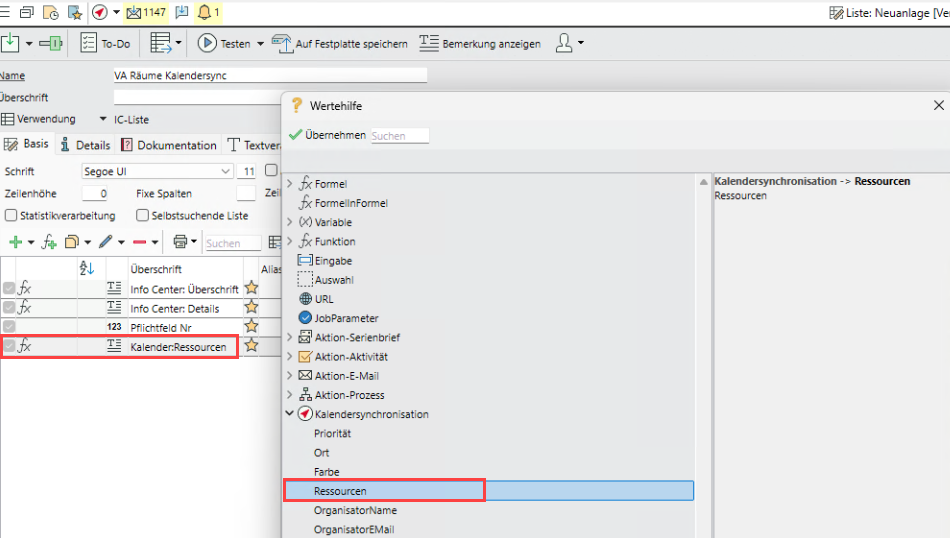
This information can be transferred directly to ExchangeOnline via the export list of the synchronisation table (Suggested values > Calendar synchronisation > Resources).
Create an Added field for the "Rooms" table and enter a unique mail address for each room (e.g. "
Set up the calendar sync based on the event rooms and maintain the added field as a "Resource" in the export list.
The value from the added field - and therefore the room - is added to the appointment as an attendee ("Attendee") of type "Resource" in Outlook.